
 80813-00200

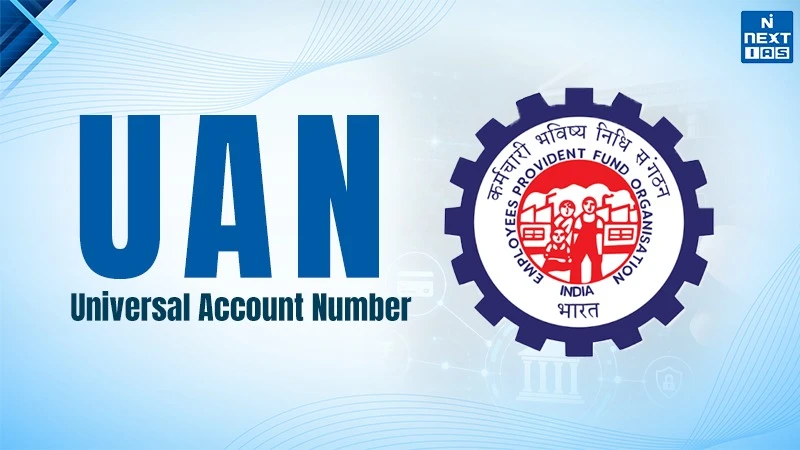
Universal Account Number (UAN) is a 12-digit unique number assigned to all salaried employees making contributions to the Employees' Provident Fund (EPF) by the Employees Provident Fund Organisation (EPFO). It remains unchanged for the entire period during which the person serves, regardless of changes in employment. The UAN consolidates all the provident fund accounts with a single number which makes it easy to track, transfer, and manage PF contributions and online KYC.
Process of UAN Generation, Activation and KYC
| S.No. | Step | Key Actions | Responsible Party |
|---|---|---|---|
| 1 | UAN Generation |
|
Employer (establishment) |
| 2 | UAN Allotment |
|
EPFO / Employer |
| 3 | Activation of UAN |
|
Employee |
| 4 | KYC Seeding |
|
Employee & Employer |
| 5 | KYC Authentication |
|
EPFO |
| 6 | Linking Multiple Member IDs |
|
Employee / Employer |
UAN and Digital India
- Universal Account Number (UAN) plays an important role in the Digital India initiatives in terms of social security and labour governance. It provides a unified portable identity to the EPF and avoids maintaining separate Provident Fund (PF) accounts when an employee changes the job. This is in line with the concept of Digital India in terms of e-governance, ease of living, and paperless service delivery.
- With the use of EPFO Unified Member Portal, the UAN system helps employees to avail online services. The members may view their PF account balances, download passbooks, and make applications for withdrawals and transfers of their balances. The use of Aadhaar and PAN systems in identity authentication makes the whole process secure.
- The UAN system helps to reduce the burden of the employers, automate record keeping, and facilitate the contribution upload process and claims handling.
- Systemically, information on the UAN system enables the EPFO to keep an eye on job mobility and monitor compliance.
- The creation of the digital social security framework through the UAN system is an example of digital infrastructure in public governance.
How to Withdraw Money from PF?
| S.No. | Step | What to Do | Important points |
|---|---|---|---|
| 1 | Check your eligibility |
|
|
| 2 | Ensure UAN & KYC are ready |
|
|
| 3 | Log in to EPFO portal |
|
|
| 4 | Go to claim section |
|
|
| 5 | Verify bank details |
|
|
| 6 | Choose claim type |
|
|
| 7 | Enter details & upload documents |
|
|
| 8 | Submit with Aadhaar OTP |
|
|
Benefits of Universal Account Number for Employees
- Firstly, the UAN is advantageous in helping the salaried class manage their retirement savings in numerous ways. It gives the person an identity or ID for his entire life in terms of the Provident Fund (PF).Therefore, avoiding remembering many Member IDs and tracking his PF from former employers.
- Secondly, the UAN provides easy portability. If an individual changes his or her job, the same UAN number is retained by the individual, and he or she can also transfer the PF balance online.
- Thirdly, the UAN helps in accessing the PF passbook and account balance online.
- Fourthly, the UAN makes it easier for making claims or withdrawing money for usages like housing, education, health care emergencies, or retirement purposes. It is processed automatically if the KYC process is completed.
- Additionally,the UAN is also connected with the Employees' Pension Scheme (EPS) and also helps workers in tracking their contribution towards pensions.
FAQs about UAN
What is a UAN number?
UAN is a 12 digit unique number allotted by EPFO to every salaried employee who contributes to the EPF.
How to activate UAN?
Go to EPFO members' portal, click 'Activate UAN', enter UAN, name, Date of Birth (DOB), mobile number, receive OTP, confirm it, and set your password.
